

Today, many people use Facebook. Facebook helps us talk to friends and family. It also helps us grow our business. If you have a shop, salon, cafe, or company, Facebook can help you find more customers. In this facebook profile and page creation tutorial, let us learn how to create a Facebook profile and a Facebook page step by step.
What Is a Facebook Profile?

source: https://www.searchenginejournal.com/facebook-expands-professional-profiles-to-all-users/469993/
A Facebook profile is for a person. It is your personal account. You can use it to add friends and share your life.
With a Facebook profile, you can:
- Add friends
- Post photos
- Share videos
- Write updates
- Like and comment on posts
Your profile shows your name and photo. It tells people who you are.
How to Create a Facebook Profile
Creating a Facebook profile is easy. First, go to the Facebook website on your computer. Next, click on “Create New Account,” and you will come to this page.
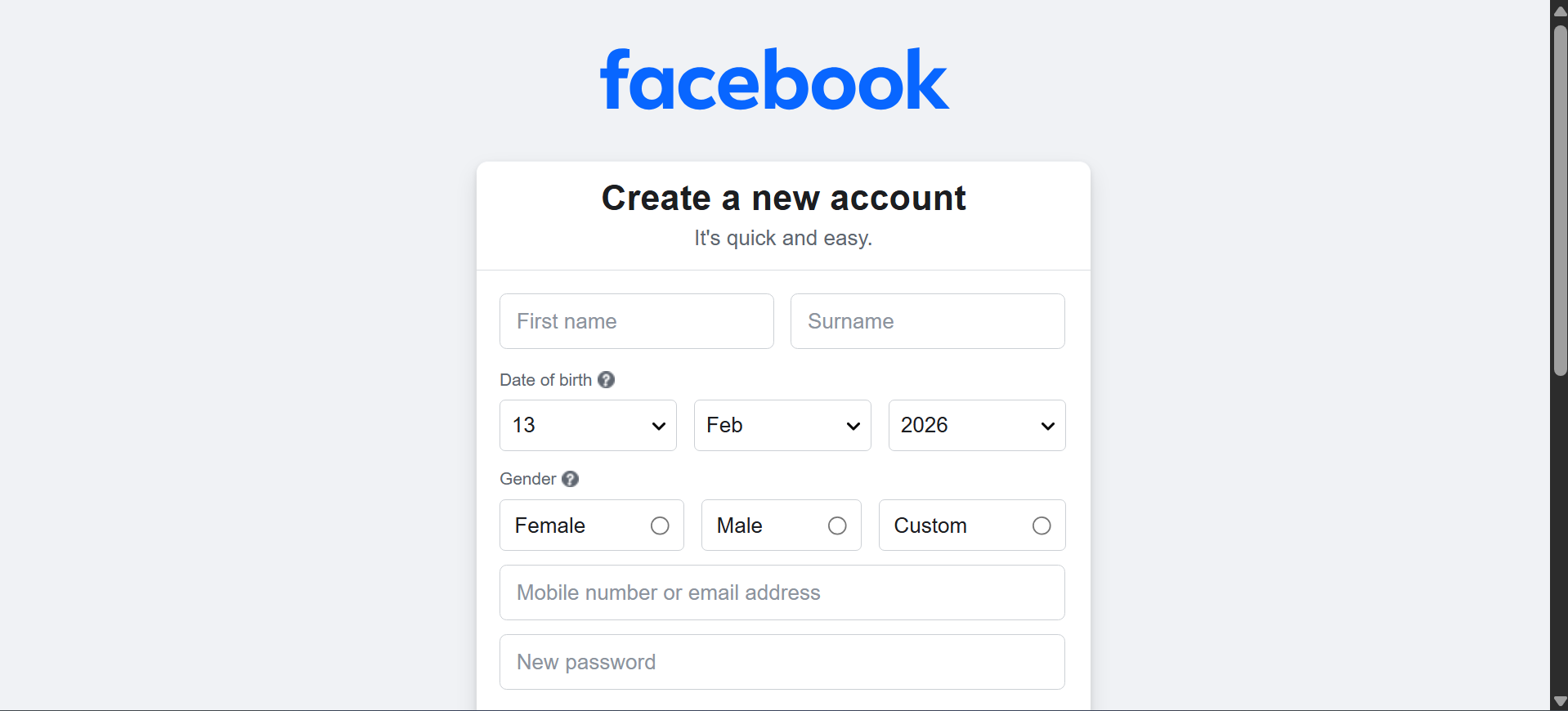
Then you must:
- Type your first and last name
- Enter your phone number or email
- Create a password
- Add your birthday
- Choose your gender
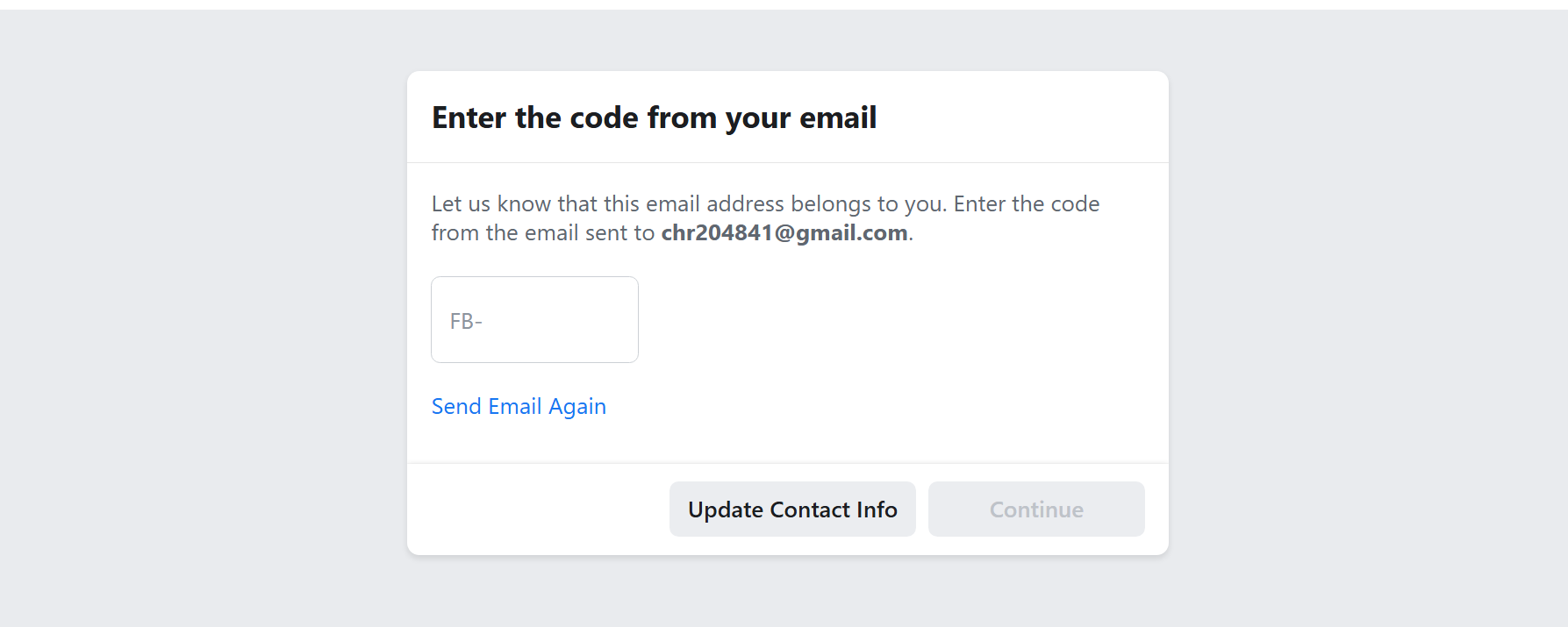
After that, click “Sign Up.” You will receive a verification code by email or phone. Once you get the code, enter it in the required field.
Now your profile is ready. Move your cursor and click on your name to go to your profile page. Alternatively, you can click on your name at the top left under the Facebook logo to access your profile.

Check the image below. Click on the circle to add a profile picture. Click on the space above it to add a cover photo.
For 2026, the recommended Meta (Facebook) profile picture resolution is 320×320 pixels. For Facebook cover photos, the optimal size is 851×315 pixels for pages and profiles. Use JPG format under 100KB for fast loading and keep text centered for better mobile display.


Now you can start sending friend requests using the search option at the top.
What Is a Facebook Page?
A Facebook page is different from a profile. A page is for a business, brand, shop, or public figure. It can also be used for personal interests like book reviews, movie reviews, art, makeup, and more.
If you have a business, you should create a Facebook page.
A Facebook page helps people:
- Learn about your business
- See your products
- Find your phone number
- Know your location
- Contact you
Many customers search online before buying something. A Facebook page helps them find you easily.
How to Create a Facebook Page
Before creating a page, you must have a Facebook profile. After logging in, follow these steps:
- Click on the profile icon at the top right.
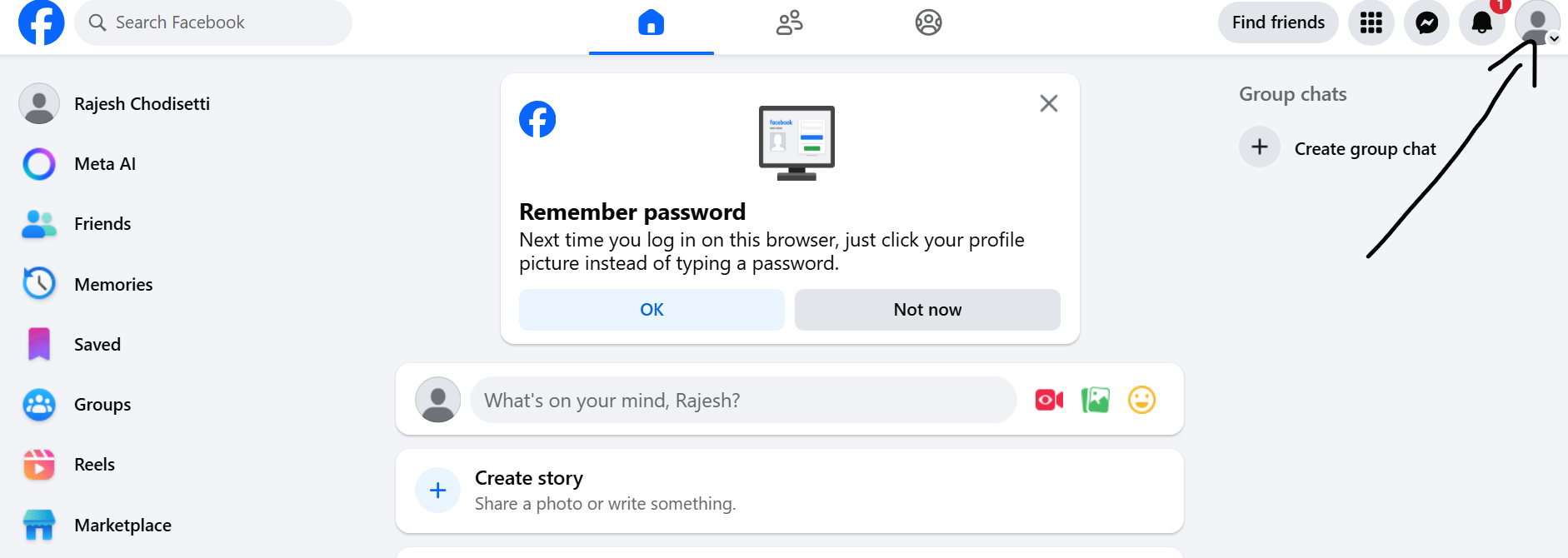
- Click on “Create a Page.” You will see a form to fill in your details.
- Enter your page name
- Select a category like Restaurant, Clothing Store, or Beauty Salon
- Write a short business description

After filling in the details, click “Create Page.”

To improve page health and visibility, make sure you add:
- Phone number
- Email address
- Location
- Business hours
Next, upload your page profile picture and cover photo using the recommended dimensions mentioned earlier.

Add an Action Button
After entering all details, add an action button so people can contact you. If you want clients to call you, select “Call Now.” If you have a website, choose “Sign Up.”
A safer option is to create a WhatsApp Business account and connect it to your page. You can learn how to do this in our digital marketing course.
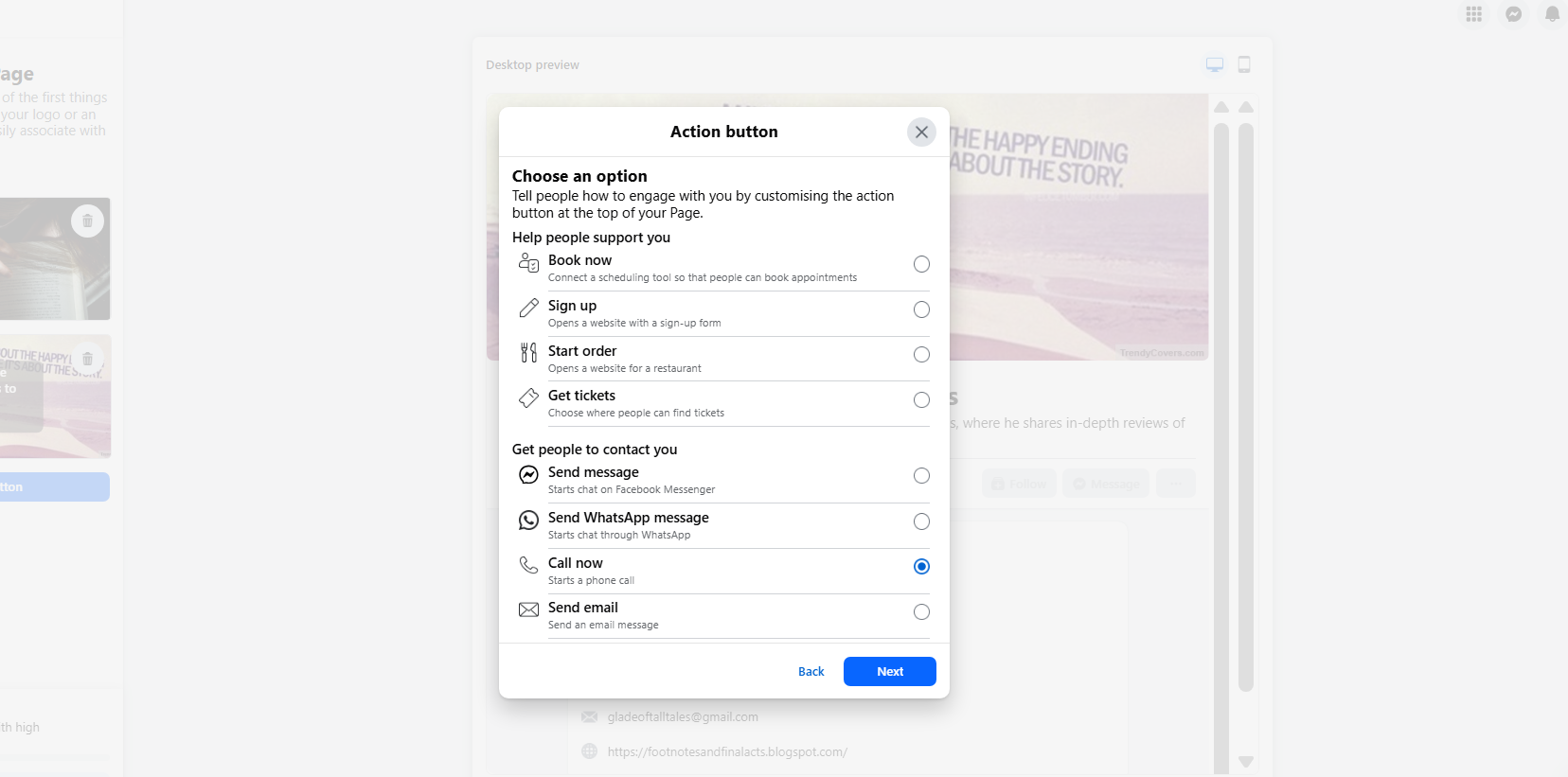
Depending on the action button you choose, you may need to enter your phone number, website link, or email address. Fill in the required details and click “Next.”
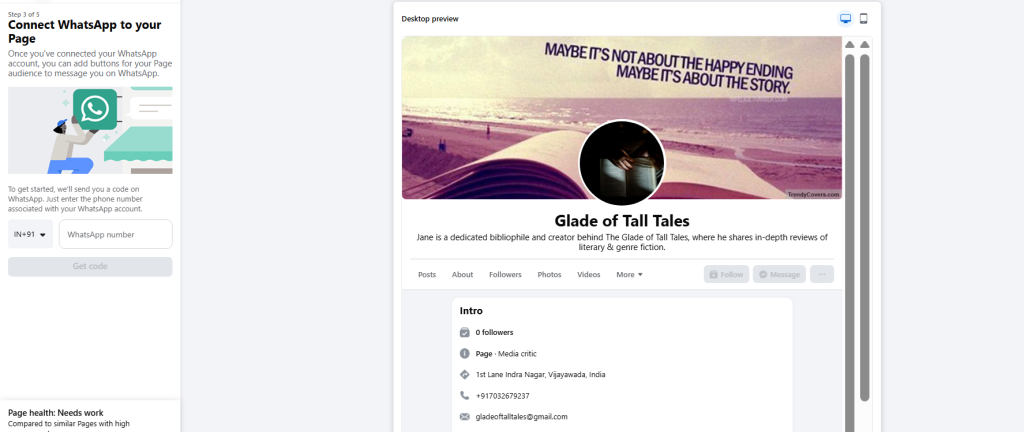
Connect WhatsApp
You will get an option to connect WhatsApp to your page. Enter your WhatsApp number, click “Get Code,” verify it, and proceed.
Finally, click “Next.” You may be asked to add friends and turn on notifications. You can skip adding friends for now and leave notification settings as default.
Congratulations! You have successfully completed your facebook profile and page creation tutorial. Now your success depends on how well you optimize your posts and ads. If you want to learn professional optimization strategies, join our digital marketing internship course.